Altuntech etiketine sahip kayıtlar gösteriliyor. Tüm kayıtları göster

Back-to-School Guide for Dyslexic Students: Apps and More

With the school year fast approaching (or already in full swing) here are my favorite apps and products for accessibility. Hopefully these apps and products will help make the school year successful for those needing assistive technology to support their reading and writing. This list is geared toward students with dyslexia but many of the apps and products can also benefit other students. To learn more about any of these products or apps click on the accompanying link.

Kurzweil 300

Kurzweil 3000 is a versatile reading and writing program for Mac and PC. With Kurzweil students can read scanned and digital documents with high quality text-to-speech and synchronized highlighting. This gives students with reading difficulty the ability to listen to text and improve comprehension. Kurzweil also allows students to annotate documents using text notes, audio notes, highlighting, and circling. Test taking is also a breeze with Kurzweil thanks to its “fill in the blanks” function which allows students to answer test question directly on the digital document. Kurzweil 3000 is not only for reading help but also includes a number of helpful writing features such as mind mapping and word prediction. Click here to learn more about Kurzweil 3000.

Bookshare

Bookshare is an essential service for people with print disabilities. Bookshare.org provides accessible e-books for qualified students. Members can choose from over 200,000 downloadable titles including many textbooks. Bookshare books can be downloaded in a DAISY format for use with text-to-speech software or in a Braille format. Similar to Kurzweil, the combination of text-to-speech and highlighted text can greatly speed up and reading and increase comprehension for qualifying students. Thanks to a grant from the United States Department of Education Bookshare is free to U.S. students.  Click here to learn more about Bookshare.

Learning Ally

Learning Ally is another provider of accessible books for the blind and dyslexic. Learning Ally mostly provides human narrated audio books for their members. Learning Ally is also expanding to provide “VOICEtext” books which include human narration and highlighted text. The highlighting of “VOICEtext” books is not word by word like in Bookshare and Kurzweil but rather is paragraph by paragraph. Learning Ally books can be read on iOS and Android devices using the Learning Ally Audio app. Click here to learn more about Learning Ally.

Click read more below for more great apps and products.

Voice Dream Reader
Voice Dream Reader is an amazing text-to-speech app for iOS. The app allows students to input text from the web, clipboard, Google Drive, Dropbox, Evernote, Project Gutenberg, Bookshare, and more. Once you have loaded your text into Voice Dream Reader you can have it read with a number of text-to-speech voices which are available at an additional cost. Voice Dream Reader also allows students to customize the look of their text. The app also includes highlighting and note taking features. Voice Dream Reader is perfect for reading Bookshare books on the go. These features are just the start; to learn all about Voice Dream Reader click here or click here to download from the App Store for $9.99.

Co:Writer

Co:Writer by Don Johnston is an app for iPhone, iPad, and iPod Touch. Co:Writer has exceptional word predication capabilities that can help struggling spellers. Co:Writer’s most unique and noteworthy feature is the ability to use topic dictionaries to improve word prediction based on the topic a student is writing about. For example, if a student is writing about World War II he or she can turn on the World War II topic dictionary in order to get more targeted word prediction. Click here to learn more about Co:Writer. Click here to download Co:Writer from the App Store.

Prizmo
Prizmo is an optical character recognition (OCR) app for the iPhone, iPad, and iPod Touch. The app gives students the ability to take a picture of a text documents and have it read back to them using text-to-speech in seconds. So if studenst comes across a document that they can’t read they can use Prizmo to quickly take a picture and have it read back to them. Prizmo can also act as a portable scanner that can convert printed document into a digital PDF format. Click here to read a full review of Prizmo or click here to download Prizmo.

Quizlet

Quizlet is a virtual flashcard service on the web and for iOS devices. The Quizlet app for iOS includes text-to-speech which can read all text on the flash cards. If you use a popular vocabulary book or textbook it is likely that another Quizlet user has already create a flashcard set for that book. Using the search function students can access these flashcards created by other Quizlet users. This gives students all the benefits of studying from flashcards without the hassle of creating them. To download Quizlet from the App Store click here. Click here to learn more about Quizlet.

Inspiration Maps

Inspiration Maps is a mind mapping tool for the iPad. Inspiration Maps documents are compatible with Inspiration documents created using a computer. Inspiration Maps helps students organize their thoughts in a graphical format. The app also includes many pre-made templates set up for specific subject. Click here to read the full review of Inspiration Maps. To download Inspiration Maps click here.

Livescribe Sky Wifi Smartpen

The Sky Wifi Smartpen from Livescribe is a computerized pen designed for note taking. With the Sky Wifi Smartpen students can take notes on specialized notebook paper and have the written notes synchronized with audio recorded from class. The synchronized audio and written notes help students to review and fill in gaps of information that they may have missed while trying to quickly record information. The Sky Smartpen also automatically and wirelessly synchronizes notes to Evernote. Another useful feature of the Smartpen is the ability of one assigned note taker to wirelessly transmit digital notes and audio recordings to students who need notes provided. Using the Smartpen to provide notes to multiple students removes the delays caused by copying and carbon paper. Click here to learn more.

Dino ‘AKA’ Dinos22 from Team.AU Does Some 3DMark Damage

Forgot to post this earlier, but last week Dino, stuck in what can only be described as an epic Groundhog Day time loop, took the 3DMark03 WR three times in a row using the GIGABYTE Z87X-OC motherboard. Not content to stop there, he also took the 3DMark05 WR (on 4x 7970s) and the 3DMark06 WR (also using 4x 7970s) both using the GIGABYTE Z87X-OC. Not sure if he saw his own shadow or not, but congrats on the records Dino!


Edit...(8/29)

Seems Dino is still stuck in that loop. He just upped the 3DMark03 to 292890 and 54927 on the 3DMark06. 


Jukeboxlessons

Jukeboxlessons is a new site for online learning/tutoring.  The way this works is a educator can sign up to teach any subject/lesson and charge what they want.  Students then can browse and find what they want to learn from educators around the world.  This is all done either through Skype or Google Hangouts.

I recommend checking out Jukeboxlessons by clicking here!!

For my Pinterest board on Online Tutoring/Teaching click here.

Math Heroes 1

Math Heroes 1: Basic Operations is a excellent iOS app for helping students reinforce their basic Math Skills.  Math Heroes uses a familiar fighting-style game environment to help students strengthen their: addition, subtraction, multiplication, and division skills.  Also, Math Heroes has a high replay value for kids as it saves in-game progress as well as allow students to unlock level and secret powers.

I highly recommend checking out Math Heroes 1: Basic Operations by clicking here!!!

*Yogome is an advertiser of Technology Tidbits.

Mike Moen from Intel’s Performance Team talks overclocking!

Hi guys, I wanted to share a video with you produced by OCTV and HWBOT during the recent Computex 2013 tech show in Taiwan. Pieter from HWBOT.ORG, leading enthusiast/overclockers website, did an interview with a really interesting guy that works for Intel. His name is Mike Moen and he’s the lead engineer for high end and enthusiast platforms. In laymen’s terms, a geek supremo that translates what overclockers are about into language platform architects can understand and implement into design.

One thing I found really interesting is when Mike said “we don’t want logic to be the limiter, we want physics to be that natural limiter”. In other words, Intel is always looking out to remove any possible limitation that the platform itself could produce on overclocking and open it up as much as possible so that the limits in overclockers are literally the limits of silicone and what is physically possible with any piece of silicone. He even talks about specific examples of where they’ve affected the change in logic to make sure overclockers are not left out such as PLL override option back in Sandy Bridge days or pushing the new boundaries with memory overclocking on Haswell platform. Very cool stuff, check out the full interview:


SuperMath Golf

SuperMath Golf is a fun little site that I just found out about from Technology & Learning.  All a student has to do is try to beat par or get a hole in one by estimating an angle and unit and click go.  Also, there are fun little obstacles to try to avoid such as sand traps, water, and trees.

I highly recommend checking out SuperMath Golf by clicking here!!!

For my Pinterest board on Educational Online Games click here.
For my Edshelf collection on Educational Online Games click here.

Apple and Education

Apple has redesigned their education webpage as they revitalize their push towards education.  It's a great site where educators can find examples of how teachers are using Apple products in their classroom (ie, lesson, guides, etc.)  Also, this is a nice place for Special Ed as well as IT folk who need to deploy Mac/iPad, Active Directory, etc.

I highly recommend checking out Apple and Education by clicking here!!!

Learning Ally Audio App Available for Android in Beta


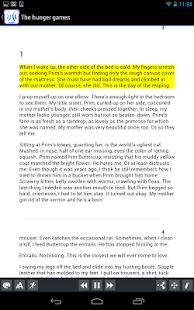
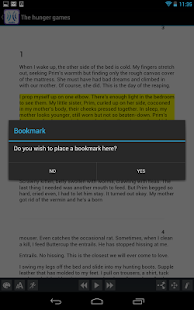
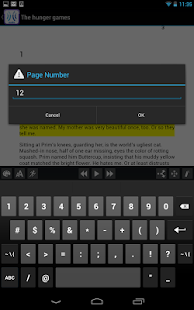
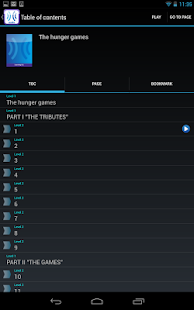
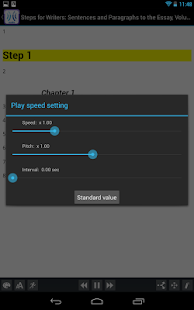
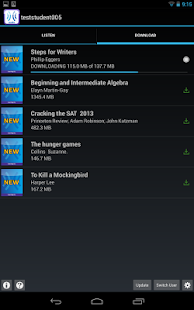
Learning Ally Audio App is now available in beta for Android devices. Learning Ally is a provider of audio books for the blind and dyslexic. The newly released Android app provides access to Learning Ally’s collection of 75,000 audio books for members with Android devices. From information provided on the apps Google Play page the Android version seems to have features comparable to its iOS counterpart. The app is available for free on the Google Play store and require a Nexus 7, Samsung Galaxy Tab, or Motorola Droid Razr with Android 4.1 or later. Click here to download the Android version from Google Play. To learn more about the iOS version of Learning Ally Audio click here.

To view screenshots of Learning Ally Audio for Android in action click read more below.


Shake-a-Phrase

Shake-a-Phrase is a fun/educational iOS app for Writing.  This app is ideal for educators as it works on different skills such as parts of speech and Vocab.  Also, SAP is great for Writing as teachers can use it to create writing prompts.  Best of all there is a quiz feature which allows students to test their knowledge on: adjectives, verbs, nouns, etc.

*Shake-a-Phrase is free today!!!

I highly recommend checking out Shake-a-Phrase by clicking here!!!

For my Pinterest board on Educational iOS Apps click here.
For my Edshelf collection on Educational iOS Apps click here.

Video communication apps and mobile learning

One of the great things about mobile devices such as tablets, iPads and phones is that most modern devices have good quality cameras and microphones built in. This opens up a really wide range of potential for communication and speaking practice that used to be such a struggle to organise on older laptops and desktop computers.

App developers have also been quick to exploit the potential of this powerful tool and in this post I'd like to look at some of the tools that have been created and how they can be used for language development.

Mailvu for asynchronous messages


Mailvu has been a long time favourite of mine, mainly because the web based version is so easy to use and doesn't require any downloads. You just point your browser at: http://mailvu.com/ and as long as you have the Flash plugin installed on your computer you can start recording immediately. Mailvu also provides mobile apps for iOS, Android an Blackberry. These are easy to use and it allows you to send short spoken messages which don't require the viewer to have any specific software or to download large video files. They just click a link and watch your message. This kind of cross platform compatibility is really important if you are working in a BYOD environment where students could be coming to class with a wide range of devices.

EyeReport for picture in picture


EyeReport  puts an interesting twist on the video communication genre by adding the ability to record video on video. By this I mean that students can upload or record a video on their mobile device and then add a video commentary over the top explaining or commenting on what they see in the original video. This opens up a whole range of potential activities that we can get students doing. They could add commentary to sporting clips, give guided tours of places they have visited, explain processes or even make their own documentaries. Once students have completed their recording these can be shared to YouTube, Facebook, Twitter or emailed directly from within the app.

CoachesEye for video annotation


CoachesEye is a similar app to EyeReport (though this one is no longer free) but is much more feature rich. Like EyeReport you can record video commentary over video, but with CoachesEye you can also add annotations and you can stop and control where you insert your comments into the video. This app was designed for coaches to give detailed feedback to athletes on their physical movements, but it's a great app to get students creating and talking about their own videos, and also a useful tool to use when observing teachers for training purposes.

Storytime for bedtime stories 


Storytime is another app which puts a new Twist on the video communication genre. It combines video conferencing with reading stories out loud. The app was designed to enable parents to read to their children from a distance and it contains a number of books you can choose to read and while you read you can discuss the books, ask questions and point to things on the page whilst chatting with the video window at the top. This is great for doing online tutoring with younger learners. There is quite a range of books from very basic and up and they are nicely illustrated.

Teleprompter for controlled speaking practice 


Teleprompter is an app that I wrote about a while back when it was still free (iPhone for Speaking Homework ). The app is what it says, it allows you to import text and then it scrolls through the text while creating a video of you reading it. This is great to get students doing controlled speaking practice and then watching and improving their speaking. You can set texts which include a range of sounds which they find difficult and then watch them together and help them to understand what elements of their pronunciation are causing problems.

Keek for video journals


Keek mixes web with mobile in the form of video journals. Users can post short messages of up to 35 seconds from their mobile or computer and these are published to the web or can be browsed through the app. This would be a great tool to use as a daily learning journal, but it's probably best used by adults or more responsible teens. It seems to be a very popular tool with teens in the USA and there is a wide range of content that students can browse through, some of which is not best suited to educational purposes, but as a concept this is quite a good app. If you prefer your students to be sheltered from this kind of popular culture app, then you can still take up the idea of the video learning journal and just get them to use their built in video camera app and post the messages to a Dropbox site.

Six3 for video messaging


Six3 is similar to MailVu and also compatible with most platforms, but it gives you the choice of recording private or public message and has an additional filter feature which can help to improve your appearance on the video. It's called Six3 because you have 63 seconds of recording time in each message. Like Mailvu, the messages are also sent via links through your email, but they can also be posted directly to Twitter or Facebook from within the app.

Skype for synchronous online tutoring


Skype has been around for a good while and was one of the first video based communication tools to break into the mainstream. It's being used by many online schools to deliver live online lesson from teachers to all parts of the globe. One of the great things about Skype, apart from the reliability, is that it keeps developing and adding new features. The recent addition of video messages that enable it to be used as an asynchronous tool will really help to widen its scope for use as a language development tool.


Built in camera app
With all these apps and the possibilities they offer, it can be easy to overlook the obvious. Most modern mobile device come with a built in video camera application and you can always use this to record and send video message. This has the advantage that messages are very safe from third party app providers and any possible security breaches, but sending the video clips to someone else often involves sending the whole clip via email which can be slow and require good connectivity.

For more ideas and activities for using video and webcams to develop languages see my posting 20 WebCam Activities for EFL ESL Students

Why use video communication?
  • Well one of the best reasons to use these kinds of apps is to get students speaking. Speaking homework has always been particularly difficult for students, but now you can ask students to produce spoken homework which you can watch and assess.
  • Video as a communication genre is likely to become increasingly important as a 21st century digital literacy, so it's important that our students have practice and are able to use this communication genre, just as they do with speaking on the telephone or writing emails.
  • Video can draw students' attention to many of the paralinguistic features of communication that are hard to highlight in a crowded classroom.
  • Enabling students to record themselves speaking and then to watch themselves can be very enlightening for students as they can then start to self assess their own performance and look for ways they can improve. It can also encourage some students to try harder, because they know that someone else might see the video.
  • Video can be very engaging and can be played repeatedly so it gives students the chance to listen again and in more depth.
  • Video communication can help teachers to build a stronger sense of connection with their students, especially with online course when you might never physically meet your students. Conveying some sense of your personality, sense of humour and character can be very difficult in written communications, so video has some really big advantages.
  • Giving students 1 to 1 time and having the time to just sit down and spend a few moments listening to a single student without the noise of others around can be really difficult in the classroom, but having a short recorded video clip of our students can really enable us to focus on their specific strengths and weaknesses and enable us to give them some really personalised feedback.
Potential problems
  • As with any kind of online communication, make sure your students know how to protect their privacy and also themselves from harassment. Be sure to have a transparent and open policy on any kind of harassment so students know what is likely to happen to anyone harassing and how to report harassment.
  • If you are using video communications with younger students also make sure their parents know what you are doing and why you are doing it and get their approval (in writing if possible) and if possible get them involved too.
  • Make students aware of the difference between poor quality speaking and poor quality audio. You don't want them to think they sound bad if the real problem is the recording quality and interference from background noise etc. Help your students to understand how to get he best quality results from whatever recording tools they have, by finding somewhere quiet to record and experimenting with the best distance from the microphone.
  • Helping students to look their best on video will also help to boost their confidence. Getting the camera angle right and having the light coming from the right direction can also have a big impact on how students look, so helping with this can be part of the learning experience. There is a useful article here which may help: http://www.makeuseof.com/tag/look-good-on-webcam/
  • Always remember and remind students that anything they do or say on video can potentially be seen by other people for years and even centuries to come, so whenever one of these apps is used, encourage them to think about what they are doing and saying and keep in mind that it could be seen by people they know and people they might yet meet as well as strangers who they might never meet. It's important to remind students of how they want to be perceived.

I hope you enjoy these apps and that they help to get your students speaking. Please leave a comment if you have any favourite video communication apps that you use to get your students speaking.

Related links:
Best

Nik Peachey

5 Little Monkeys

5 Little Monkeys is the iOS app based off the popular kids nursery rhyme.  This app is ideal for the youngsters, ideally PreK-KDG.  Monkeys is an interactive nursery rhyme that helps kids learn word recognition and counting as they listen and engage in the song.  I love this app as my 4 yr old knew the song from Preschool and my 2 yr old had a blast watching as he sang along and touched the monkeys on the screen as the rhyme played.

I recommend checking out 5 Little Monkeys by clicking here!!!

Super Teacher Worksheets

Super Teacher Worksheets is a must have resource for educators especially for those starting out the school year.  STW is a wonderful site that has printable worksheets on almost any topic.  Also, a teacher can find worksheet generators for puzzles, Math, and more.  Finally, many of the printables on STW are aligned to Common Core.

I highly recommend checking out Super Teacher Worksheets by clicking here!!!

*Super Teacher Worksheets is an advertiser of Technology Tidbits.

ROBBO2 from Australia breaks new FM2 SuperPi records in GIGABYTE competition!

GIGABYTE’s “Pi is Returned” is really hitting a stride at the moment with records falling daily it seems. This time it’s Robbo2 from Australia leading the charge.

Australians are never far away when there’s a SuperPi competition somewhere. It’s nice to see a relative newcommer to the world of extreme OC really show off some decent skill and top the charts so far. Robbo managed to set new FM2 category world records in both 1M and 32M SuperPi. I’ve met Robbo2 at a recent OCAU Extreme OC workshop and it’s great to see OCAU guys jumping the hurdle and really giving LN2 a serious go with some decent hardware. Motherboard used was the GIGABYTE F2A85X-UP4 and an AMD A10-6800K CPU clocked past 7.2GHz (32M SuperPi) and 7.3GHz(for 1M SuperPi).

Awesome stuff there, keep at it!

For those of you that would like to check out this competition you can follow all the action on HWBOT.ORG.

1012183

1012184

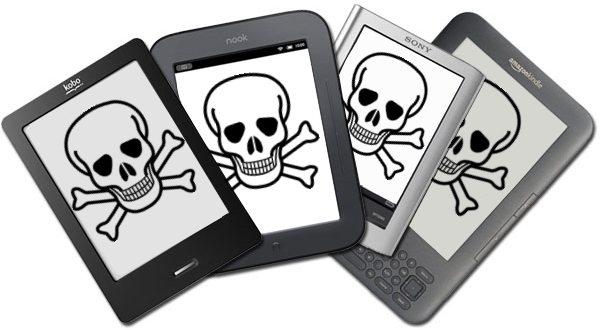
Amazon, Sony, and Kobo Don't Want to Make Their E-Readers Accessible


Some of the top names in the e-reader market are asking the Federal Communications Commission (FCC) to waive the accessibility requirements for their devices. Amazon, Sony, and Kobo have all petitioned the FCC to waive the accessibility requirement for their e-readers. They do not want to have to make their devices "accessible to and usable by individuals with disabilities."

The FCC requires advanced communication services (ACS) to be accessible to people with disabilities. The e-reader companies are arguing that their devices do not fall under the ACS classification because they are dedicated to e-book reading. The three companies also claim that adding accessibility features would decrease battery life, increase cost and increase bulk. They claim in the FCC document,
"Rendering ACS accessible on e-readers would require fundamentally altering the devices and it may not be possible to meet that requirement and maintain e-readers as inexpensive mobile reading devices, and yet the necessary changes, if they were made, would not yield a meaningful benefit to individuals with disabilities. It’s not merely cost but the very nature of a specialized e-reader device that is at issue."
Disabilities rights advocates content that because e-readers are not only being used for leisure, but also education the devices should be required to be accessible. Furthermore, Amazon has over a 100 million Kindle-exclusive titles according to the Wall Street Journal. If Kindles are not usable by the blind and people with other disabilities such as dyslexia they are shut out from this content.

It is questionable if adding accessibility features will really slow down and bulk up e-readers as the companies claim. A more realistic possibility is that the companies see adding accessibility features as an unwanted cost and challenge. Instead of requesting waivers from the government these e-reader companies should focus on making devices that are usable to the masses. Adding accessibility feature to devices is important and benefits the consumer as well as the company. With accessibility features e-readers can be purchased in public school, there are more potential customers, and the public will view the company in a better light.

The FCC is requesting the public's input in this matter through Tuesday, September 3. People interested in making a comment can do so by clicking here. The full petition can be read here.

9Slides

9Slides is a wonderful site/app (Windows/iPad) for creating a stunning presentation.  This is done by uploading any type of presentation format (ie, PPT, Keynote, etc) and then adding either a audio or video narration that displays in another window.  This is ideal for education as it can be used for "flipped" or "guided" learning or even a Pecha Kucha style presentation.

Right now 9Slides is running a promotion providing a huge discount for users/educators....


Our super saver deal is back!

If you redeem the coupon code b2s13 before Aug 31st, 2013 you can upgrade and lock in your 9Slides Professional tier subscription at just $7 a month forever, saving you $276 per year.
Upgrade now to be able to upload advertisement free presentations, larger files, view analytics , password protection and more. Redeem* this offer at 9slides.com/upgrade before it expires!
*To avail discounted price, click on the "upgrade now" under monthly price and enter coupon code b2s13 on the payment form.
If you have any questions, we are an email away team@9slides.com

*9Slides is an advertiser of Technology Tidbits.

Jack and the Beanstalk a Mathematical Adventure

Jack and the Beanstalk: a Mathematical Adventure is the latest iOS app from Math File Folder Games.  This is a fantastic app that reinforces Math skills while taking students on the wonderful Jack and the Beanstalk adventure.  Jack is a interactive narrated story where students have to solve problems to progress further in the adventure.  These problems can range anywhere from making change to measuring objects.  Plus, if a student gets stuck on a problem they can tap on an arrow to reveal a new problem.

I highly recommend checking out this wonderful app by clicking here!!!

*FYI - Jack and the Beanstalk: a Mathematical Adventure is set to launch on Aug 21st.

** Math File Folder Games is a advertiser of Technology Tidbits.

Below is a brief demo...

Mathalicious

Mathalicious is an excellent resource for Math teachers.  This site helps educators teach Math through real world engaging problems.  Also, Mathalicious lessons are aligned to common core standards that promote problem solving and critical thinking skills.  Best of all, Mathalicious has a wide variety of resources for teachers such as: handouts, lessons guides, and presentations.

I highly recommend checking out Mathalicious by clicking here!!!

Hi Cookie takes down several i5 4670K world records on GIGABYTE Z87X-OC

943156_10200797949163816_1360100676_n

Here’s some more overclocking news for you all. Our resident overlocking evangelist Hi Cookie has been busy pushing an Intel Core i5 4670K processor to the max, garnering a bunch of world records in the process. Cookie took down 4670K world records for wPrime 1024M, wPrime 32M, SuperPi 32M, SuperPi 1M, PiFast and overall CPU frequency.

It’s really great to see Cookie pushing the outer limits of performance on an OC board that was largely designed by himself. Congrats Cookie mate.

Check out the scores below.

image

Check out the scores in more detail on HWBOT here.

More info on our GIGABYTE Z87X-OC board here.

Questimate

Questimate is an innovative new educational (Math) iPad app where the student creates the estimation based questions and then solves or shares them w/ others.  This is a great game where students can play solo or w/ others and create fun questions where the answer is the best estimation to the problem.  This is all done through a very easy to use interface and has a very high replay value.  The game will not only save progress but the further along a student progress the more items they can "unlock".

I highly recommend checking out Questimate by clicking here!!!

For my Pinterest board on Educational iOS Apps click here.

MikeCDM breaks FM2 SuperPi WR in GIGABYTE “Pi is Returned” Contest

GIGABYTE just kicked off a new competition at HWBOT with large cash prizes to see who the best of the best AMD overclockers are in the world today. First score was submitted by MikeCDM right at the start with the FM2 category world record 1M SuperPi and second place 32M Super Pi with a mere 3 seconds (0.004%) away from taking the FM2 32M Superpi world record as well. Mike is running a massive 7.3GHz with GIGABYTE F2A85X-UP4 sporting the new digital PWM.

Category win earns US$500 with a bonus US$500 for a world record. Looks like FM2 category will be earning some big prizes! Let’s go!

Great score Mike and keep pushing. Awesome to see records fall so far already!

1009906

1009908

I’ll end this with famous words of everyone’s favourite anchorman, lol!

Anchorman_well_that_escalated_quickly_966