
Video communication apps and mobile learning
One of the great things about mobile devices such as tablets, iPads and phones is that most modern devices have good quality cameras and microphones built in. This opens up a really wide range of potential for communication and speaking practice that used to be such a struggle to organise on older laptops and desktop computers.
App developers have also been quick to exploit the potential of this powerful tool and in this post I'd like to look at some of the tools that have been created and how they can be used for language development.

Mailvu has been a long time favourite of mine, mainly because the web based version is so easy to use and doesn't require any downloads. You just point your browser at: http://mailvu.com/ and as long as you have the Flash plugin installed on your computer you can start recording immediately. Mailvu also provides mobile apps for iOS, Android an Blackberry. These are easy to use and it allows you to send short spoken messages which don't require the viewer to have any specific software or to download large video files. They just click a link and watch your message. This kind of cross platform compatibility is really important if you are working in a BYOD environment where students could be coming to class with a wide range of devices.

EyeReport puts an interesting twist on the video communication genre by adding the ability to record video on video. By this I mean that students can upload or record a video on their mobile device and then add a video commentary over the top explaining or commenting on what they see in the original video. This opens up a whole range of potential activities that we can get students doing. They could add commentary to sporting clips, give guided tours of places they have visited, explain processes or even make their own documentaries. Once students have completed their recording these can be shared to YouTube, Facebook, Twitter or emailed directly from within the app.

CoachesEye is a similar app to EyeReport (though this one is no longer free) but is much more feature rich. Like EyeReport you can record video commentary over video, but with CoachesEye you can also add annotations and you can stop and control where you insert your comments into the video. This app was designed for coaches to give detailed feedback to athletes on their physical movements, but it's a great app to get students creating and talking about their own videos, and also a useful tool to use when observing teachers for training purposes.

Storytime is another app which puts a new Twist on the video communication genre. It combines video conferencing with reading stories out loud. The app was designed to enable parents to read to their children from a distance and it contains a number of books you can choose to read and while you read you can discuss the books, ask questions and point to things on the page whilst chatting with the video window at the top. This is great for doing online tutoring with younger learners. There is quite a range of books from very basic and up and they are nicely illustrated.

Teleprompter is an app that I wrote about a while back when it was still free (iPhone for Speaking Homework ). The app is what it says, it allows you to import text and then it scrolls through the text while creating a video of you reading it. This is great to get students doing controlled speaking practice and then watching and improving their speaking. You can set texts which include a range of sounds which they find difficult and then watch them together and help them to understand what elements of their pronunciation are causing problems.

Keek mixes web with mobile in the form of video journals. Users can post short messages of up to 35 seconds from their mobile or computer and these are published to the web or can be browsed through the app. This would be a great tool to use as a daily learning journal, but it's probably best used by adults or more responsible teens. It seems to be a very popular tool with teens in the USA and there is a wide range of content that students can browse through, some of which is not best suited to educational purposes, but as a concept this is quite a good app. If you prefer your students to be sheltered from this kind of popular culture app, then you can still take up the idea of the video learning journal and just get them to use their built in video camera app and post the messages to a Dropbox site.

Six3 is similar to MailVu and also compatible with most platforms, but it gives you the choice of recording private or public message and has an additional filter feature which can help to improve your appearance on the video. It's called Six3 because you have 63 seconds of recording time in each message. Like Mailvu, the messages are also sent via links through your email, but they can also be posted directly to Twitter or Facebook from within the app.

Skype has been around for a good while and was one of the first video based communication tools to break into the mainstream. It's being used by many online schools to deliver live online lesson from teachers to all parts of the globe. One of the great things about Skype, apart from the reliability, is that it keeps developing and adding new features. The recent addition of video messages that enable it to be used as an asynchronous tool will really help to widen its scope for use as a language development tool.
Built in camera app
With all these apps and the possibilities they offer, it can be easy to overlook the obvious. Most modern mobile device come with a built in video camera application and you can always use this to record and send video message. This has the advantage that messages are very safe from third party app providers and any possible security breaches, but sending the video clips to someone else often involves sending the whole clip via email which can be slow and require good connectivity.
For more ideas and activities for using video and webcams to develop languages see my posting 20 WebCam Activities for EFL ESL Students
Why use video communication?
I hope you enjoy these apps and that they help to get your students speaking. Please leave a comment if you have any favourite video communication apps that you use to get your students speaking.
Related links:
Nik Peachey
App developers have also been quick to exploit the potential of this powerful tool and in this post I'd like to look at some of the tools that have been created and how they can be used for language development.
Mailvu for asynchronous messages

Mailvu has been a long time favourite of mine, mainly because the web based version is so easy to use and doesn't require any downloads. You just point your browser at: http://mailvu.com/ and as long as you have the Flash plugin installed on your computer you can start recording immediately. Mailvu also provides mobile apps for iOS, Android an Blackberry. These are easy to use and it allows you to send short spoken messages which don't require the viewer to have any specific software or to download large video files. They just click a link and watch your message. This kind of cross platform compatibility is really important if you are working in a BYOD environment where students could be coming to class with a wide range of devices.
EyeReport for picture in picture
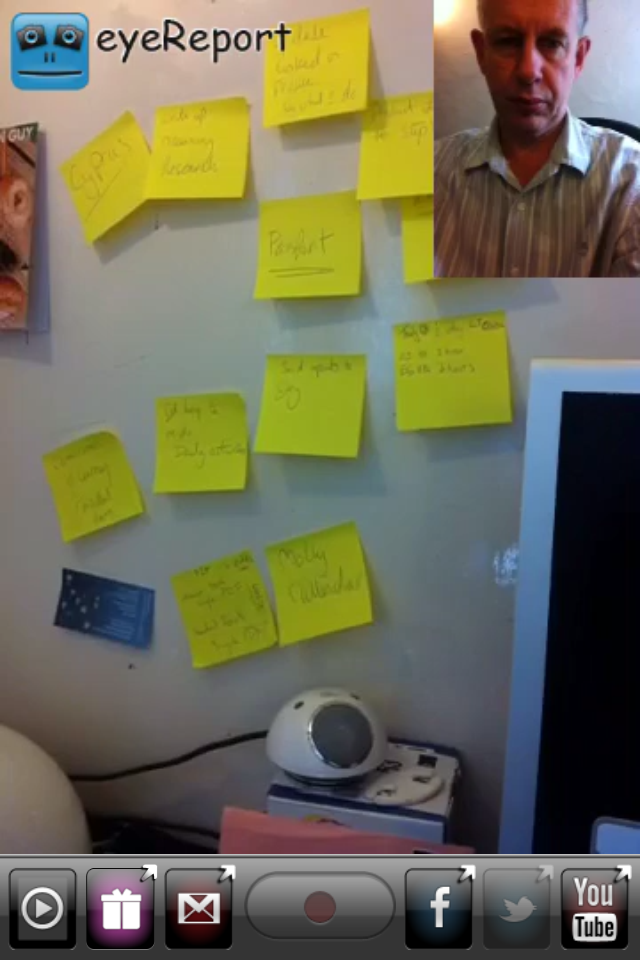
EyeReport puts an interesting twist on the video communication genre by adding the ability to record video on video. By this I mean that students can upload or record a video on their mobile device and then add a video commentary over the top explaining or commenting on what they see in the original video. This opens up a whole range of potential activities that we can get students doing. They could add commentary to sporting clips, give guided tours of places they have visited, explain processes or even make their own documentaries. Once students have completed their recording these can be shared to YouTube, Facebook, Twitter or emailed directly from within the app.
CoachesEye for video annotation

CoachesEye is a similar app to EyeReport (though this one is no longer free) but is much more feature rich. Like EyeReport you can record video commentary over video, but with CoachesEye you can also add annotations and you can stop and control where you insert your comments into the video. This app was designed for coaches to give detailed feedback to athletes on their physical movements, but it's a great app to get students creating and talking about their own videos, and also a useful tool to use when observing teachers for training purposes.
Storytime for bedtime stories

Storytime is another app which puts a new Twist on the video communication genre. It combines video conferencing with reading stories out loud. The app was designed to enable parents to read to their children from a distance and it contains a number of books you can choose to read and while you read you can discuss the books, ask questions and point to things on the page whilst chatting with the video window at the top. This is great for doing online tutoring with younger learners. There is quite a range of books from very basic and up and they are nicely illustrated.
Teleprompter for controlled speaking practice

Teleprompter is an app that I wrote about a while back when it was still free (iPhone for Speaking Homework ). The app is what it says, it allows you to import text and then it scrolls through the text while creating a video of you reading it. This is great to get students doing controlled speaking practice and then watching and improving their speaking. You can set texts which include a range of sounds which they find difficult and then watch them together and help them to understand what elements of their pronunciation are causing problems.
Keek for video journals

Keek mixes web with mobile in the form of video journals. Users can post short messages of up to 35 seconds from their mobile or computer and these are published to the web or can be browsed through the app. This would be a great tool to use as a daily learning journal, but it's probably best used by adults or more responsible teens. It seems to be a very popular tool with teens in the USA and there is a wide range of content that students can browse through, some of which is not best suited to educational purposes, but as a concept this is quite a good app. If you prefer your students to be sheltered from this kind of popular culture app, then you can still take up the idea of the video learning journal and just get them to use their built in video camera app and post the messages to a Dropbox site.
Six3 for video messaging

Six3 is similar to MailVu and also compatible with most platforms, but it gives you the choice of recording private or public message and has an additional filter feature which can help to improve your appearance on the video. It's called Six3 because you have 63 seconds of recording time in each message. Like Mailvu, the messages are also sent via links through your email, but they can also be posted directly to Twitter or Facebook from within the app.
Skype for synchronous online tutoring

Skype has been around for a good while and was one of the first video based communication tools to break into the mainstream. It's being used by many online schools to deliver live online lesson from teachers to all parts of the globe. One of the great things about Skype, apart from the reliability, is that it keeps developing and adding new features. The recent addition of video messages that enable it to be used as an asynchronous tool will really help to widen its scope for use as a language development tool.
Built in camera app
With all these apps and the possibilities they offer, it can be easy to overlook the obvious. Most modern mobile device come with a built in video camera application and you can always use this to record and send video message. This has the advantage that messages are very safe from third party app providers and any possible security breaches, but sending the video clips to someone else often involves sending the whole clip via email which can be slow and require good connectivity.
For more ideas and activities for using video and webcams to develop languages see my posting 20 WebCam Activities for EFL ESL Students
Why use video communication?
- Well one of the best reasons to use these kinds of apps is to get students speaking. Speaking homework has always been particularly difficult for students, but now you can ask students to produce spoken homework which you can watch and assess.
- Video as a communication genre is likely to become increasingly important as a 21st century digital literacy, so it's important that our students have practice and are able to use this communication genre, just as they do with speaking on the telephone or writing emails.
- Video can draw students' attention to many of the paralinguistic features of communication that are hard to highlight in a crowded classroom.
- Enabling students to record themselves speaking and then to watch themselves can be very enlightening for students as they can then start to self assess their own performance and look for ways they can improve. It can also encourage some students to try harder, because they know that someone else might see the video.
- Video can be very engaging and can be played repeatedly so it gives students the chance to listen again and in more depth.
- Video communication can help teachers to build a stronger sense of connection with their students, especially with online course when you might never physically meet your students. Conveying some sense of your personality, sense of humour and character can be very difficult in written communications, so video has some really big advantages.
- Giving students 1 to 1 time and having the time to just sit down and spend a few moments listening to a single student without the noise of others around can be really difficult in the classroom, but having a short recorded video clip of our students can really enable us to focus on their specific strengths and weaknesses and enable us to give them some really personalised feedback.
- As with any kind of online communication, make sure your students know how to protect their privacy and also themselves from harassment. Be sure to have a transparent and open policy on any kind of harassment so students know what is likely to happen to anyone harassing and how to report harassment.
- If you are using video communications with younger students also make sure their parents know what you are doing and why you are doing it and get their approval (in writing if possible) and if possible get them involved too.
- Make students aware of the difference between poor quality speaking and poor quality audio. You don't want them to think they sound bad if the real problem is the recording quality and interference from background noise etc. Help your students to understand how to get he best quality results from whatever recording tools they have, by finding somewhere quiet to record and experimenting with the best distance from the microphone.
- Helping students to look their best on video will also help to boost their confidence. Getting the camera angle right and having the light coming from the right direction can also have a big impact on how students look, so helping with this can be part of the learning experience. There is a useful article here which may help: http://www.makeuseof.com/tag/look-good-on-webcam/
- Always remember and remind students that anything they do or say on video can potentially be seen by other people for years and even centuries to come, so whenever one of these apps is used, encourage them to think about what they are doing and saying and keep in mind that it could be seen by people they know and people they might yet meet as well as strangers who they might never meet. It's important to remind students of how they want to be perceived.
I hope you enjoy these apps and that they help to get your students speaking. Please leave a comment if you have any favourite video communication apps that you use to get your students speaking.
Related links:
- Mix Images and Animation on Your Mobile
- Peer editing in digital and mobile environments
- iPhone for Speaking Homework
- iPad Apps for English Language Teachers
- Create Books for the iPad
- Getting Learning out of the Classroom with Augmented Reality
- Augmented Reality and Web 3.0
- Creating texting dialogues for students
Nik Peachey


