mobile learning etiketine sahip kayıtlar gösteriliyor. Tüm kayıtları göster

Video communication apps and mobile learning

One of the great things about mobile devices such as tablets, iPads and phones is that most modern devices have good quality cameras and microphones built in. This opens up a really wide range of potential for communication and speaking practice that used to be such a struggle to organise on older laptops and desktop computers.

App developers have also been quick to exploit the potential of this powerful tool and in this post I'd like to look at some of the tools that have been created and how they can be used for language development.

Mailvu for asynchronous messages


Mailvu has been a long time favourite of mine, mainly because the web based version is so easy to use and doesn't require any downloads. You just point your browser at: http://mailvu.com/ and as long as you have the Flash plugin installed on your computer you can start recording immediately. Mailvu also provides mobile apps for iOS, Android an Blackberry. These are easy to use and it allows you to send short spoken messages which don't require the viewer to have any specific software or to download large video files. They just click a link and watch your message. This kind of cross platform compatibility is really important if you are working in a BYOD environment where students could be coming to class with a wide range of devices.

EyeReport for picture in picture


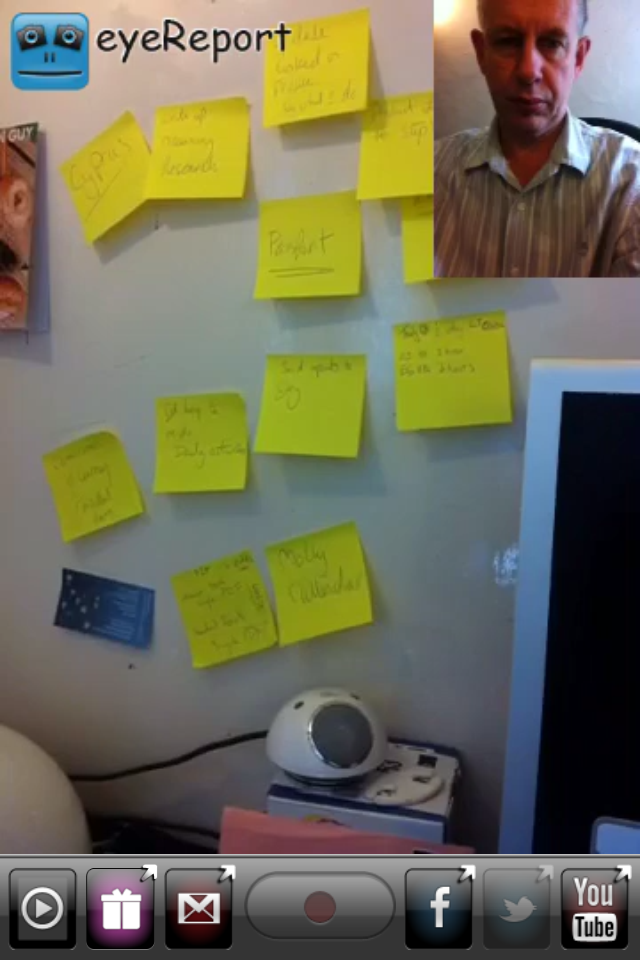
EyeReport  puts an interesting twist on the video communication genre by adding the ability to record video on video. By this I mean that students can upload or record a video on their mobile device and then add a video commentary over the top explaining or commenting on what they see in the original video. This opens up a whole range of potential activities that we can get students doing. They could add commentary to sporting clips, give guided tours of places they have visited, explain processes or even make their own documentaries. Once students have completed their recording these can be shared to YouTube, Facebook, Twitter or emailed directly from within the app.

CoachesEye for video annotation


CoachesEye is a similar app to EyeReport (though this one is no longer free) but is much more feature rich. Like EyeReport you can record video commentary over video, but with CoachesEye you can also add annotations and you can stop and control where you insert your comments into the video. This app was designed for coaches to give detailed feedback to athletes on their physical movements, but it's a great app to get students creating and talking about their own videos, and also a useful tool to use when observing teachers for training purposes.

Storytime for bedtime stories 


Storytime is another app which puts a new Twist on the video communication genre. It combines video conferencing with reading stories out loud. The app was designed to enable parents to read to their children from a distance and it contains a number of books you can choose to read and while you read you can discuss the books, ask questions and point to things on the page whilst chatting with the video window at the top. This is great for doing online tutoring with younger learners. There is quite a range of books from very basic and up and they are nicely illustrated.

Teleprompter for controlled speaking practice 


Teleprompter is an app that I wrote about a while back when it was still free (iPhone for Speaking Homework ). The app is what it says, it allows you to import text and then it scrolls through the text while creating a video of you reading it. This is great to get students doing controlled speaking practice and then watching and improving their speaking. You can set texts which include a range of sounds which they find difficult and then watch them together and help them to understand what elements of their pronunciation are causing problems.

Keek for video journals


Keek mixes web with mobile in the form of video journals. Users can post short messages of up to 35 seconds from their mobile or computer and these are published to the web or can be browsed through the app. This would be a great tool to use as a daily learning journal, but it's probably best used by adults or more responsible teens. It seems to be a very popular tool with teens in the USA and there is a wide range of content that students can browse through, some of which is not best suited to educational purposes, but as a concept this is quite a good app. If you prefer your students to be sheltered from this kind of popular culture app, then you can still take up the idea of the video learning journal and just get them to use their built in video camera app and post the messages to a Dropbox site.

Six3 for video messaging


Six3 is similar to MailVu and also compatible with most platforms, but it gives you the choice of recording private or public message and has an additional filter feature which can help to improve your appearance on the video. It's called Six3 because you have 63 seconds of recording time in each message. Like Mailvu, the messages are also sent via links through your email, but they can also be posted directly to Twitter or Facebook from within the app.

Skype for synchronous online tutoring


Skype has been around for a good while and was one of the first video based communication tools to break into the mainstream. It's being used by many online schools to deliver live online lesson from teachers to all parts of the globe. One of the great things about Skype, apart from the reliability, is that it keeps developing and adding new features. The recent addition of video messages that enable it to be used as an asynchronous tool will really help to widen its scope for use as a language development tool.


Built in camera app
With all these apps and the possibilities they offer, it can be easy to overlook the obvious. Most modern mobile device come with a built in video camera application and you can always use this to record and send video message. This has the advantage that messages are very safe from third party app providers and any possible security breaches, but sending the video clips to someone else often involves sending the whole clip via email which can be slow and require good connectivity.

For more ideas and activities for using video and webcams to develop languages see my posting 20 WebCam Activities for EFL ESL Students

Why use video communication?
  • Well one of the best reasons to use these kinds of apps is to get students speaking. Speaking homework has always been particularly difficult for students, but now you can ask students to produce spoken homework which you can watch and assess.
  • Video as a communication genre is likely to become increasingly important as a 21st century digital literacy, so it's important that our students have practice and are able to use this communication genre, just as they do with speaking on the telephone or writing emails.
  • Video can draw students' attention to many of the paralinguistic features of communication that are hard to highlight in a crowded classroom.
  • Enabling students to record themselves speaking and then to watch themselves can be very enlightening for students as they can then start to self assess their own performance and look for ways they can improve. It can also encourage some students to try harder, because they know that someone else might see the video.
  • Video can be very engaging and can be played repeatedly so it gives students the chance to listen again and in more depth.
  • Video communication can help teachers to build a stronger sense of connection with their students, especially with online course when you might never physically meet your students. Conveying some sense of your personality, sense of humour and character can be very difficult in written communications, so video has some really big advantages.
  • Giving students 1 to 1 time and having the time to just sit down and spend a few moments listening to a single student without the noise of others around can be really difficult in the classroom, but having a short recorded video clip of our students can really enable us to focus on their specific strengths and weaknesses and enable us to give them some really personalised feedback.
Potential problems
  • As with any kind of online communication, make sure your students know how to protect their privacy and also themselves from harassment. Be sure to have a transparent and open policy on any kind of harassment so students know what is likely to happen to anyone harassing and how to report harassment.
  • If you are using video communications with younger students also make sure their parents know what you are doing and why you are doing it and get their approval (in writing if possible) and if possible get them involved too.
  • Make students aware of the difference between poor quality speaking and poor quality audio. You don't want them to think they sound bad if the real problem is the recording quality and interference from background noise etc. Help your students to understand how to get he best quality results from whatever recording tools they have, by finding somewhere quiet to record and experimenting with the best distance from the microphone.
  • Helping students to look their best on video will also help to boost their confidence. Getting the camera angle right and having the light coming from the right direction can also have a big impact on how students look, so helping with this can be part of the learning experience. There is a useful article here which may help: http://www.makeuseof.com/tag/look-good-on-webcam/
  • Always remember and remind students that anything they do or say on video can potentially be seen by other people for years and even centuries to come, so whenever one of these apps is used, encourage them to think about what they are doing and saying and keep in mind that it could be seen by people they know and people they might yet meet as well as strangers who they might never meet. It's important to remind students of how they want to be perceived.

I hope you enjoy these apps and that they help to get your students speaking. Please leave a comment if you have any favourite video communication apps that you use to get your students speaking.

Related links:
Best

Nik Peachey

The Answer Pad

The Answer Pad is an amazing web solution/iPad app that has to be seen to be believed.  The Answer pad is a graphically-based student response system that is free for educators (1 teacher - per 36 students) which allows educators to assess students learning in real-time.  This is done through an innovative web user interface that interacts w/ a mobile device (ie, iPad).  Teachers can either use a number of templates or create their own and push them out to their student devices.  What makes this such an effective teaching tool is that educators can draw on existing templates to modify to their own needs and use these in any subject.  For example, a teacher can upload a bar graph and have student draw notes, or upload a grid and have students plot data, the possibilities are endless.  The ability for a teacher to annotate or draw on template/image is great for Guided Learning.

Another great way to use Answer Pad to assess student's learning is by the different Q/A type that a teacher can apply, such as: multiple choice, T/F, etc.  Soon teachers will be able to record Answer Pad sessions, mark up student responses, and more.

Answer Pad is a wonderful tool for mobile learning, flipping a classroom, and differentiated instruction.  I highly recommend checking it out by clicking here!!!

For a brief Skype demo contact me at dkapuler@gmail.com.

*Answer Pad is an advertiser of Technology Tidbits.

Peer editing in digital and mobile environments

For years now I have been happily using EtherPad based services like http://primarypad.com/ and http://sync.in/ to get participants on the training courses I deliver to work collaboratively to create and peer edit texts. Increasingly though I've been having problems with the reliability of the free services these companies provide and the lack of reliable compatibility with mobile devices.


At last it seems that now I have a very elegant solution in the form of https://quip.com/.
Quip looks a lot like Evernote and has a similar interface with documents contained in notebooks, but one of the big differences is that Quip was designed specifically to enable peer editing and collaboration on documents and has a very clear way of showing and tracking the changes.

Here's a short tutorial showing you how it works:


Why should we get our students peer editing?
  • It improves their awareness of accuracy
  • It can improve the quality of their writing
  • Pushes students to accept that writing is a process that needs revisions and redrafting
  • The ability to collaborate in digital environments is likely to be an important real world digital literacy

What kinds of peer editing activities can we do with students?
  • We can give them texts with planted errors (10 - 20) in to work on a find and correct together. These could be the lyrics of songs they like or stories or articles they have read.
  • We can get students to correct each others' compositions before we look at them.
  • We can give them texts with specific features missed out and get them to work together to add them. These could be linking or referencing devices, punctuation, vocabulary words, grammatical features such as prepositions or articles etc.
  • We can get them working together to rearrange parts of a text into a better order or structure.
  • We can give them the bare structure of a story and ask them to embellish it and make it more descriptive and interesting.

What I like about Quip
  • It's free
  • Nicely designed interface
  • Works and looks well in both tablet  app form and in the browser
  • Clearly tracks and highlights changes to documents by different users
  • It looks secure and enables you to limit who sees and works on the document while editing
  • Has a kind of chat messaging feature which works along side the notes for changes
  • We can use it to get students collaborating and working together outside the classroom

What I'm not so sure about
  • It requires registration, which can slow things down in class, but it does also add a degree of security
  • I haven't tried it with larger groups yet so I'm not sure how reliably it will function when scaled up to say having a whole class work synchronously on a single document
  • Not sure how long it will stay free (There is a Quip Business already available)
I'm now looking forward to my next course so that I can try Quip out and get a bit more experience with it. I hope you also find it useful with your students. Do drop me a line and let me know how it goes.

Related links:


Best

Nik Peachey


    Top 50 Math Sites and Apps

    Throughout the last few years I've compiled quite a few lists of my favorite sites for a variety of subjects.  Over the last year and a half one might have noticed that my lists have started to change and instead of focusing on sites I've been focusing more on apps as "mobile learning" has really taken off.  It seems now a days a person can find an app for almost anything.  Specializing in Ed Tech I review sites/apps all the time and decided to start posting my favorites for different subjects.  Below are my favorites for Math.

    *This list is in alphabetical order.

    Top 50 Math Sites and Apps

    1. 4 Dice: Fraction Games - A great iOS app for learning how to add, subtract, multiply, and divide fractions.  This game meets Common Core Standards and has blue tooth capabilities to allow for two players across multiple devices.
    2. 5 Dice: Order of Operations Game - A neat iOS app for practicing "order of operations" where the answer is giving and students need to figure out the equation.  Some nice features include the email feature for teachers to track students ability as well as a nice interactive whiteboard to help figure out the problem.
    3. ABCYA - A wonderful site/apps for educational games.
    4. AplusMath - A nice site for Math games, worksheets and flashcards.
    5. Axiom - A fun iOS app where students tilt the mobile device to guide their ship to collection different numbers and operations to solve Math problems.
    6. BrainNook - A great site for Math games/apps w/ "differentiated instruction".
    7. Bubbabrain - A excellent site w/ 1000s of educational games where teachers can create their own games.
    8. BuzzMath Middle School - A fantastic iPad app for Middle School students wanting to learn and practice their Math skills.  Some nice features is when a student gets an answer wrong BuzzMath shows them the correct answer and how to solve it.  Also, supports "differentiated instruction" as well as a website w/ a teacher portal for managing and tracking students.
    9. Clever Island - A nice site w/ lots of educational Math games that cover areas such as: counting, classification, ordering, etc.
    10. Cookie - A great site w/ lots of educational games for Elementary schools.
    11. DimensionU - One of my favorite sites/program for K-12 for developing Math skills in all areas.  This site uses cutting edge technology to reinforce Math skills in 3D games in safe competitive environments.
    12. Dinosaur Train Classic in the Jurassic, Jr - A fun iPad game based on the popular PBS tv show that has kids playing 3 Math based games on counting, sorting, and a balance, to help the dinosaurs complete their adventure.
    13. DragonBox - A excellent multi-platform site for teaching students Algebra in a fun and unique way by starting out using pictures instead of numbers.
    14. Funbrain - One of the most popular educational gaming sites on the web.
    15. GazziliMath - A wonderful addicting iOS app that my 6 yr old son loves!!!  This is a great app for the younger kids learning to add, count, subtract, and more.  Also, has a high replay value as kids need to complete levels to unlock more and more features.
    16. Game Classroom - A nice site w/ lots of Math games, worksheets, and homework help for students.
    17. Grid Lines: Ordered Pair Game - Grid Lines is a very unique and challenging game which has students plot order pairs/points on a four quadrant grid.  This is great for upper El Ed and MS students and has blue tooth capability for multiplayer.
    18. IXL - One of the most popular sites for Math for Grades K-8th as well as for learning Algebra and Geometry.  Not only does this site have an educational portal for student tracking and reporting but tons of lessons to choose from as well.
    19. Kidz Page - A nice site w/ lots of fun educational Math games.
    20. Learning Games for Kids - A great sites w/ lots of games for education.
    21. Lure of the Labyrinth - A site designed for Pre-Algebra students to go on an amazing adventure to rescue their lost pet and avoid monsters.  Not only does this app have a wide variety of lessons for MS students it also is aligned to state standards.
    22. Fuel the Brain - A nice site w/ lot of different educational Math games to choose from.
    23. Funschool - A cool site w/ lots of Math games.
    24. Gamequarium - One of the most robust sites around for Math games and resources.
    25. Mangahigh - A wonderful site for anime styled Math games where students earn rewards/badges.
    26. Marble Math - Is a great iOS app that has students playing the old fashioned marble tilt puzzle game solving basic math problems (addition, subtraction, etc.) plus decimals and fractions.  A user can either tilt their iOS device to move the marble or use their finger to guide their marble to the desired spot.  Not only is this game highly addictive it gets rather challenging in the upper levels.
    27. Math A Tube - A great resource for Math students/teachers for all areas of Math.  A person can not only find videos and worksheets, but explanations of all sorts of Math concepts (ie, Geometry, decimals, fractions, etc.).
    28. Math Champ - A very innovative iOS app that turns a student's iPad into a "buzzer" to answer questions before their classmate.  This does require a teacher to "host" the game as well as setup a class list.  Math Chimp supplies all the Common Core Standard questions from a wide variety of Math problems.
    29. Math Chimp - A wonderful site for finding games, videos, and worksheets on a wide variety of Math concepts.
    30. Math Dojo - A fun iOS app for addition in the style of a fighting game.  The paid version unlocks all the different operations/levels.
    31. Math Game Time - A terrific site for grades K-7th w/ lots of educational games, worksheets, and videos.
    32. Math Minute Madness - A wonderful iOS app that focuses on basic Math skills and has students trying to solve as many questions in a minute to earn stars so they can add animals to their virtual zoo.
    33. Math Playground - A great site for finding Math resources such as: word problems, games, worksheets, flashcards, and more.
    34. Mystery Math Town - This is one of my favorite and unique iOS apps for building Math skills.  Ideally this adventure is for kids 6-12 and focuses on addition, subtraction, multiplication, and division.  Students enter a town and try unlock levels and characters by not only solving equations but finding the variables to solve the given equation as well.  This game is highly addictive and has very high replay value.
    35. Numbers League - A fantastic iPad app for students 5 on up that uses basic Math skills to defeat a legion of evil super heroes.  This interactive comic style game focuses on Common Core Standards and can be used by students of all ages as it gets harder and harder.
    36. Operation Math - This is a very fun iPad app that focuses on the basic skills of Math while trying to stop an evil villain from stealing numbers by solving equations and locking his escape route.  OM is a great game for kids 5-12 w/ high replay value that takes them to lots of geographical locations.
    37. Ordered Fractions - A fun iOS game that uses dice to roll random numbers and then have students put them in boxes to create fractions.  Students then have to compare these fractions to put into ascending order.
    38. Pipo Games - A nice site/program w/ lots of educational games for any curriculum, Math included.  A paid account unlocks all features and games.
    39. Play Kid Games - A very nice site w/ lots of fun and engaging Math games.
    40. RoomRecess - A nice site for elementary students to learn basic Math concept through educational games.
    41. Sakura Quick Math - Is an ideal iOS app for grades 1st - 5th that focuses on all basic Math skills. Not only does Sakura track students progress it allows for users to write the answer directly on the iOS screen.
    42. Sheppard Software - A nice site w/ lots of fun Math games in a wide variety of areas.
    43. Skip Math: Skip Counting Games - A fun iOS app similar to Doodle Jump where students jump from platform to platform to count by numbers (i.e., 2, 4, 6, 8, etc.).  Another neat feature is the ability to take a picture of yourself and put it on the game character.
    44. Sumdog - A great site w/ educational portal for student tracking, to reinforce Math skills while students play against others worldwide.
    45. Sushi Monster - A nice iOS app for practicing addition and multiplication facts.
    46. TenMarks - One of the most popular sites/programs for Math for Grades 1st thru HS.  This program helps students develop their Math skills in all areas while tracking student data and using "differentiated learning".
    47. Tutpup - A great site educational Math games that focuses on areas such as: addition, subtraction, multiplication, and more.
    48. What2Learn - A excellent site w/ lots of Math resources as well as the ability to create your own game.
    49. YodelOh Math Mountain - A super-fun iOS app that focuses on the basic skills of Math such as: addition, multiplication, subtraction, and division.  This game is a hoot and reminds me a lot of the Price is Right game where the mountain climber tries to reach the top of the mountain before time runs out.
    50. Zondle - A innovatie site w/ educational portal that allows teachers to track, monitor, and create games for students.

    ChemDraw

    ChemDraw is fantastic iPad app for Chemistry teachers.  This is an app that can be used by HS/College students and is ideal way for them to create/draw molecules and then share them easily w/ others.  Also, this is a nice app for educators to use to help engage their students and help w/ them studying for tests.  Best of all this is a very user friendly app that has users creating drawing of molecules and reactions by simply touching and dragging their finger across the iPad screen!!!!

    Here is more detailed information from their press release...


    This new mobile app also features a Flick-to-Share technology, a groundbreaking development that brings molecular education to a new level, giving teachers, students, and professional chemists a new tool to bring chemistry to life. Flick-to-Share gives users the ability to:


    •   Easily and rapidly share molecular structures across mobile devices
    •   Requires only a single finger swipe gesture to transfer images from one to another user regardless of geographic location
    •   Eliminates the need for multi-step emails or cloud storage services 
    I highly recommend checking out ChemDraw by clicking here!!!

    For my Pinterest board on Educational IOS Apps click here.
    For my Edshelf collection on Educational iOS Apps click here.

    buzzMath

    buzzMath is an excellent iPad app for Middle School Math that I found out about on Edshelf.  This app has over 2800 problems based on all different areas of Math such as: Geometry, Algebra, Fractions, and more.  Also, these problems have detailed solutions as well as aligned to Common Core Standards.  Best of all, a teacher can download the app, create a class/school account and then distribute to their students via a classroom code.

    I highly recommend checking out buzzMath by clicking
    here!!!

    For other great apps for Math check out Math File Folder Games.

    For my Pinterest board on Educational iOS Apps click here.
    For my Edshelf collection on Educational iOS Apps click here.

    GoClass

    GoClass is a wonderful new (beta) site/app for flipping a classroom.  This is a fantastic solution for educators to be able to manage their classes/students and create dynamic lessons that can be shared on mobile devices.  Students can login to a session on their mobile device and then follow the lesson following the "show-explain-ask" method.  Teachers can then get instant real-time feedback on student engagement and learning as well as attendance.

    I highly recommend checking out GoClass by clicking here!!!

    Also, be sure to check them out at ISTE going on right now at booth #2266

    *GoClass is an advertiser of Technology Tidbits.

    The Answer Pad

    The Answer Pad is easily one of my favorite ways to "flip" your classroom and turn your classroom paperless.  It allows for testing/assessing to be done on a mobile device as well as turn your mobile device (i.e. iPad) into a "student response" clicker system that has to be seen to be believed.  It is free for 1 teacher per 36 students and w/ this code... tapit_kapuler it will unlock all features for 90 days as long as it is used before June 30th (just login click upgrade).

    If you would like me to set you up w/ a free 5-10 min Skype demo let me know.

    I highly recommend checking out Answer Pad by clicking here!!!

    *Answer Pad is an advertiser of Technology Tidbits.

    Easy Studio

    Easy Studio is an excellent iPad app for teaching kids how to create custom animations.  This is done in a very user friendly way that has students use shapes to follow patterns and take screen shots to create animations.  The process is not that different then those familiar w/ stop motion.  Also, this is done by building on lessons getting more complex as they go along.

    I highly recommend checking out Easy Studio by clicking here!!!

    For my Pinterest board on Educational iOS Apps click here.
    For my Edshelf collection on Educational iOS Apps click here.

    Discover Indian Monuments

    Discover Indian Monuments w/ Tamarind Tots is a very beautiful looking iPad app that is ideal for teaching kids/students about the different monuments in India such as the Taj Mahal and more.  This app not only is very informative as it describes the different landmarks in great interactive detail, it allows youngsters to engage in activities such as connect the dots or swipe the screen to reveal a picture.

    I recommend checking out Discover Indian Monuments by clicking here!!!

    PlayScience I

    PlayScience I is an excellent iPad app for El Ed studying Science.  This app covers the complete Grade 1 curriculum through interactive animations and exercises.  PlayScience covers different topics such as: Plants, Animals, Our Earth, Weather and Sky, Matter, and Energy and Motion.  This is a great way for teachers to engage students and "flip" their classroom through a variety of activities such as: crosswords, word association, multiple choice, T/F, and more.  Finally, there is a high replay value as students earn "play money" by completing activities and buy fish, toys, or plants for their aquarium.

    I highly recommend checking out PlayScience I by clicking here!!!

    For my Pinterest board on Educational iOS Apps click here.
    For my Edshelf collection on Educational iOS Apps click here.

    The Answer Pad

    The Answer Pad is a wonderful mobile solution for "flipping" the classroom.  I did an in depth review on this a while back that you can view here.  Basically, The Answer Pad is a great way to turn the classroom paperless to allow for all testing and assessment to be done on the iPad (or other mobile device).

    Also, w/ their latest feature, Go Interactive, it turns an iPad or mobile device into a Student Response "clicker" system.  This takes the whole "clicker" system that most schools use w/ an interactive whiteboard to a whole new level.  Now teachers can engage students and assess their learning in real-time w/ no prep work.


    I highly recommend checking out The Answer Pad by clicking here!!!!

    *The Answer Pad is a advertiser of Technology Tidbits.

    Math File Folder Games

    Math File Folder Games is a wonderful collection of iOS apps that is ideal for teaching/learning different concepts of Math.  Right now there are 4 innovative Math games: 5 Dice: Order of Operations Game, 4 Dice: Fractions Game, Ordered Fractions: Comparing & Ordering Fractions, and Grid Lines: Ordered Pair Game.  Each one of these games are easy to use, develop critical thinking, and have a high replay value.

    Here is more info on how to use Math File Folder Games in the classroom...


    A Perfect 21st Century Math Center
    Where Student Work is Reported to You

    Using the Math Game Apps in the Classroom

    1. Math Centers – These app games are ideal for a math center activity. Have the children read the instructions themselves if possible as this is a great reading comprehension activity.
    2. Whole Class Game/Display on Smart Board – Project the math games on a smartboard and they can be used as a whole class game. The class can sit in a circle on the floor around the smartboard and play in teams. The class can be broken into 2 or 4 teams to play.
    3. Homework - These apps are ideal for homework. It is a fun alternative to regular homework and parents can be involved in playing the math games with their children. This is really popular with the kids and the parents.
    4. Fast Finisher – These apps are perfect activities for those children who finish their work early. These apps are perfect replacement for file folder games they are quick and easy to setup.
    5. Peer Tutoring - These math games are great activities for students to use to help each other. Pair a weaker student with a stronger student so students can 'tutor' others.

    I highly recommend checking out Math File Folder Games by clicking here!!!

    *Math File Folder Games is an advertiser of Technology Tidbits.


    Energy for Life

    Energy for Life is a wonderful new iPad app by the creators of Miracle of Life and Experience Life.  This beautifully designed interactive app takes students through the different systems of the body: digestive, respiratory, and circulatory.  What I like about these series of apps from iDiCreative are the easy to understand explanations and interactive animations that engage students and allow them to learn in a fun way (Energy for Life does this by interacting w/ dinosaurs).  This is a fantastic app for MS/HS students as well as Health/Biology/Science teachers.

    I highly recommend checking out Energy for Life by clicking here!!!

    Chem Pro

    Chem Pro is a fantastic free iOS/Android app for learning Chemistry.  This is ideal for HS/College students looking for help in Chemistry.  This app consists of 80 video lessons designed by students as well as other great tools such as: interactive periodic table, reference tables, and flash cards.  There's also a molar mass calculator w/ equation sheet and unit converter to help w/ problems.

    I highly recommend checking out Chem Pro by clicking here!!!

    For my Pinterest board on Educational iOS Apps click here.
    For my Edshelf collection on Educational iOS Apps click here.

    Futaba Classroom Games for Kids

    Futaba Classroom Games for Kids is an excellent iPad app for teachers and students.  This app interacts seamlessly w/ a the Futaba website where teachers can create an account and then create games that can be shared w/ student iPads via a code.  These games cover a wide range a subjects such as Math, History, Reading, etc. and can contain images, video, audio, etc.  Best of all, this is one of the very few iPad apps I've seen that is multi-player and allows up to 4 students to play at once on one iPad.  This is a great way to engage students, integrate technology, and flip one's classroom.

    I highly recommend checking out Futaba Classroom Games for Kids by clicking here!!!

    For my Pinterest board on Educational iOS Apps click here.
    For my Edshelf collection on Educational iOS Apps click here.

    GoClass

    GoClass is a wonderful site/app for creating lesson plans and sharing them w/ students.  This is done by creating engaging content as well as class rosters on the web and then sharing them w/ students on their mobile devices.  This is ideal for mobile learning and "flipping" a classroom.  Also, after the students use their mobile device to follow/complete the lesson or exercise, teachers get instant real-time results for assessing their students.

    I highly recommend checking out GoClass by clicking here!!!

    *GoClass is an advertiser of Technology Tidbits.

    Kodable

    Kodable is a wonderful iPad app for programming that I found out about from ReadWrite.  This is an excellent iPad app for kids ages 5-7 that helps them learn how to program by dragging-n-dropping fuzz balls around levels filled w/ directional arrows.  The creator developed it w/ the thought that since age a young age is ideal to learn a language why not the language of programming.  Some kids are learning how to program before learning how to read/write.

    I highly recommend checking out Kodable by clicking here!!!

    For my Pinterest board on Educational iOS Apps click here.
    For my Edshelf collection on Educational iOS Apps click here.

    Appolearning

    Appolearning is a great site for finding educational apps.  These reviews are done by experts in the educational field and are scored on a scale of a 100%.  Also, these reviews contain a number of screenshots and detailed report card that covers: Educational Content, Kids Appeal, Assessment, Features and Design, Value, and Safety and Privacy.

    I highly recommend checking out Appolearning by clicking here!!!

    School Fuel

    School Fuel is a free iOS app that is ideal for educators for managing mobile apps and their common core standards.  This all done from an easy to use admin console that allows educators to share: apps, documents, links, videos, and more.  This is ideal for a BYOD or mobile learning environment.  Also, SF is designed to work w/ Google Apps for districts that use that.

    I highly recommend checking out School Fuel by clicking here!!!

    For my Pinterest board on Educational iOS apps click here.
    For my Edshelf collection on Educational iOS apps click here.