blind etiketine sahip kayıtlar gösteriliyor. Tüm kayıtları göster

Amazon, Sony, and Kobo Don't Want to Make Their E-Readers Accessible
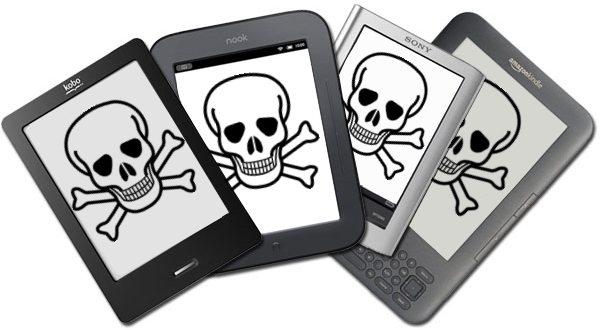
Some of the top names in the e-reader market are asking the Federal Communications Commission (FCC) to waive the accessibility requirements for their devices. Amazon, Sony, and Kobo have all petitioned the FCC to waive the accessibility requirement for their e-readers. They do not want to have to make their devices "accessible to and usable by individuals with disabilities."

The FCC requires advanced communication services (ACS) to be accessible to people with disabilities. The e-reader companies are arguing that their devices do not fall under the ACS classification because they are dedicated to e-book reading. The three companies also claim that adding accessibility features would decrease battery life, increase cost and increase bulk. They claim in the FCC document,
"Rendering ACS accessible on e-readers would require fundamentally altering the devices and it may not be possible to meet that requirement and maintain e-readers as inexpensive mobile reading devices, and yet the necessary changes, if they were made, would not yield a meaningful benefit to individuals with disabilities. It’s not merely cost but the very nature of a specialized e-reader device that is at issue."
Disabilities rights advocates content that because e-readers are not only being used for leisure, but also education the devices should be required to be accessible. Furthermore, Amazon has over a 100 million Kindle-exclusive titles according to the Wall Street Journal. If Kindles are not usable by the blind and people with other disabilities such as dyslexia they are shut out from this content.

It is questionable if adding accessibility features will really slow down and bulk up e-readers as the companies claim. A more realistic possibility is that the companies see adding accessibility features as an unwanted cost and challenge. Instead of requesting waivers from the government these e-reader companies should focus on making devices that are usable to the masses. Adding accessibility feature to devices is important and benefits the consumer as well as the company. With accessibility features e-readers can be purchased in public school, there are more potential customers, and the public will view the company in a better light.

The FCC is requesting the public's input in this matter through Tuesday, September 3. People interested in making a comment can do so by clicking here. The full petition can be read here.

Bookshare Reaches 200,000 Accessible Downloadable Titles

Recently Bookshare's downloadable library of accessible ebooks reached 200,000 titles. The 200,000 mark comes just months after the 11th anniversary of the service. Bookshare books contain digital text and can be read with text-to-speech and synchronized highlighting. Text-to-speech paired with synchronized highlighting can help dyslexics with comprehension. Members can also read books on a refreshable braille display. As a result of funding from the United States Department of Education Office of Special Education Programs (OSEP) Bookshare is able to provide its services free to qualified U.S. students. For information on membership click here. Members are provided with software to read Bookshare books on their Mac or PC but  Bookshare books can also be read on many other devices including iOS devices using the  Read2Go or Voice Dream Reader app. An Android app called Go Read is also available.

Eyes-Free Typing App Fleksy Coming to Android With One Major Advantage Over iOS Version


Fleksy the eyes-free typing app that originally debuted for iOS is now available in beta for Android. Fleksy uses gestures and text prediction to allow users to type without looking a the screen. Fleksy can be extremely helpful for the blind and visually impaired and can dramatically increase typing speed people who cannot see the screen. Unlike the iOS version the Android version can replace the default keyboard and be used with any app. In iOS you cannot use Fleksy in an email app or with the messages app but on Android you can. Besides integration with Android apps the Android version will be similar to the iOS version. Android users can try the Fleksy by visiting the Fleksy Beta Google+ page.


Click read more below to view a video about Fleksy.


3D Printers Have Enormous Potential To Help Blind


3D printers are still new in the consumer technology market, but  3D printers have huge potential to help the blind and visually impaired. To be clear this technology is still in its infancy. Imagine a blind student reading about a geometric figure or a molecule, but who cannot understand the make up or configuration of the object. A sighted user might be able to gather the necessary information through an image but a blind student might need hands-on time for a better understanding of the object. This is where the 3D printer comes into play. If a digital 3D file is available the blind student could print out the object quickly right in their home or classroom. 3D printers typically print a model layer by layer in plastic A blind person could print a model of a building or car in order to gain a better understanding of the architecture or design. As shown in the above picture some current 3D printers can print objects the size of the basketball. The the student could feel and examine the object. For this promising technology to become a reality pricing would have decrease to allow schools or individuals to purchase the devices. Also, content creators would have to make printable 3D files available for public use.

Click read more below to watch videos about 3D printers.


TapTapSee: Amazing iOS App Recognizes Almost Anything


An iOS app called TapTapSee can recognize almost anything that you can take a picture of. TapTapSee is designed for the blind or visually impaired so it requires VoiceOver to be enabled. Click here to download the app for free. With the app open simply point the devices camera at an object and double tap to take a picture. Then TapTapSee recognizes the image with amazing speed and accuracy. In my tests the app was able to distinguish a salt shaker from and nearly identical pepper grinder. The app took an average of 10-15 seconds for each image. Keep in mind that you will need an internet connection for the app to work. With a few exceptions TapTapSee recognized everything that I took a picture of. The app is truly amazing because of its accuracy and detail it is able to provide in a short time. Visually impaired users could use the app to distinguish between two similar feeling objects. The app can also recognize all denominations of US currency but unlike the LookTel Money Reader TapTapSee cannot recognize foreign currencies. TapTapSee is also much faster than competing apps such as VizWiz. TapTapSee is a perfect addition to any iOS device for vissually impaired users.

Click read more below to view the app in action.


Favorite Assistive Technology Apps & Products of 2012


As 2012 comes to a close I decided to make a run down of my favorite assistive technology apps and products that I have been using this year. This list is in no particular order.

Click read more view the list.


The Sky WiFi Smartpen is easy to use and seamless. It has a built in recorder and camera that, when used with specialized paper, syncs audio and written notes in the cloud. To read the Sky WiFi Smartpen review click here.


iPad mini is a great tablet because of its size, app selection, and accessibility. The lower price point makes it even more compelling. Most of all iPad mini runs all the apps that the full size iPad does and has accessibility features second to none. Click here to read more about the iPad mini.


While iOS 6 many have been short on mainstream features it has several useful accessibility features including Guided Access, highlighting with Speak Selection, Siri improvements, and VoiceOver improvements. Click here to learn more about iOS 6.


This update included great new voice search feature that I found to be better and faster than Siri. Click here to learn more about the Google Search App for iOS.


This app has a really nice interface and good scan quality which made it my favorite scanning app of 2012. Click here to learn more.


Prizmo is hands down the best OCR app for iPhone that I have used. Just take a picture of a document and it will read it to you in a matter of seconds. Click here to download or learn more about Prizmo.


A great reader of Bookshare books that allows you to read your books portably without a computer. Bookshare is an online accessible library avalible to qualified people. Click here to download or learn more about Read2Go.


Kurzweil isn't new to 2012 but it is a program I use everday. It helps me tremendously and it deserves a spot on this list. Click here to learn more about Kurzweil 3000.


Good app for listening to Learning Ally Audio books. The free app is available for all iOS devices. I would like to see the app include new features such as background audio in 2013. Click here to learn more.


Nook App for iOS Updated to Support VoiceOver and Zoom


Great news, the Nook app for iPhone, iPad, and iPod Touch is now accessible to the blind, visually impaired and people with print disabilities. The updated app now supports VoiceOver and Zoom. VoiceOver and Zoom are built in accessibility features in iOS. To learn more about VoiceOver click here. With VoiceOver you can have the book read aloud using text-to-speech. Oddly enough the update makes the Nook app more accessible than current Nooks. Serious kudos to Barns & Noble's for making their app accessible. To download the app for free click here.

Click read more below to view more screenshots.